

Environment settings
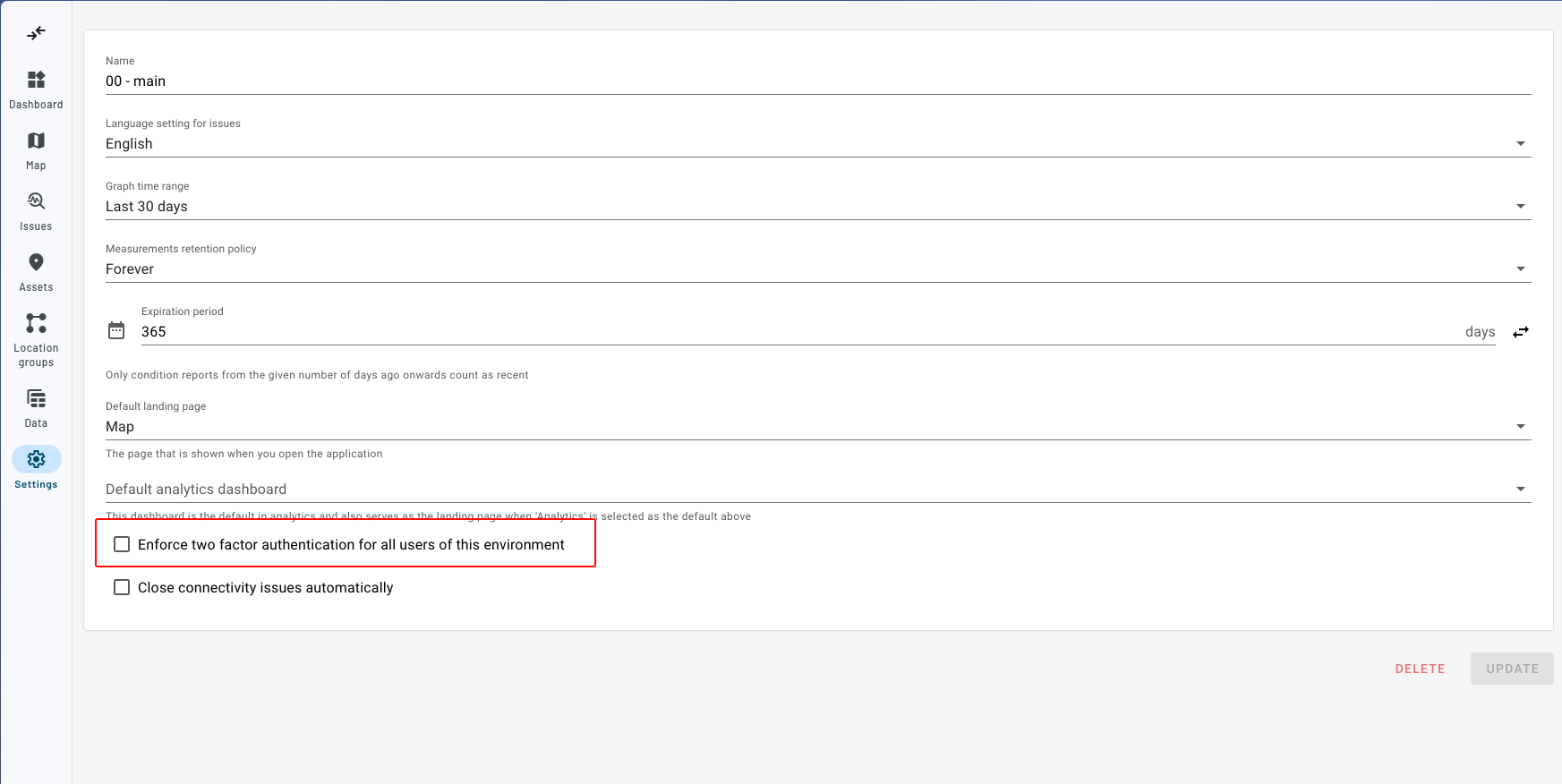
In the settings overview the monitoring environment can be configured. There are many aspects which can be adjusted. Under general settings, the name of the environment can be changed as well as the language in which the issues should be generated. It is also possible to change the default graph range.
Users can change the expiration of asset condition. This has a direct influence on the visualization. An asset will be green if no critical or serious issue is open and there has been a report in the last number days, where the default setting is 365 days. Instead of a number of days, an expiration date can be set with the switch button next to the field. Only reports from that date (00:00 UTC) onwards then count as recent, for example to only count the reports of the current year. Switching back returns to the number of days.
In addition to enabling , an administrator of the monitoring or connectivity environment can enforce two-factor authentication for all users with access to that environment.
For 2FA you need an authenticator app on your phone such as: Microsoft, Google, Raivo.