
Data import
Users can import measurements themselves in bulk via Excel imports.
How does it work:
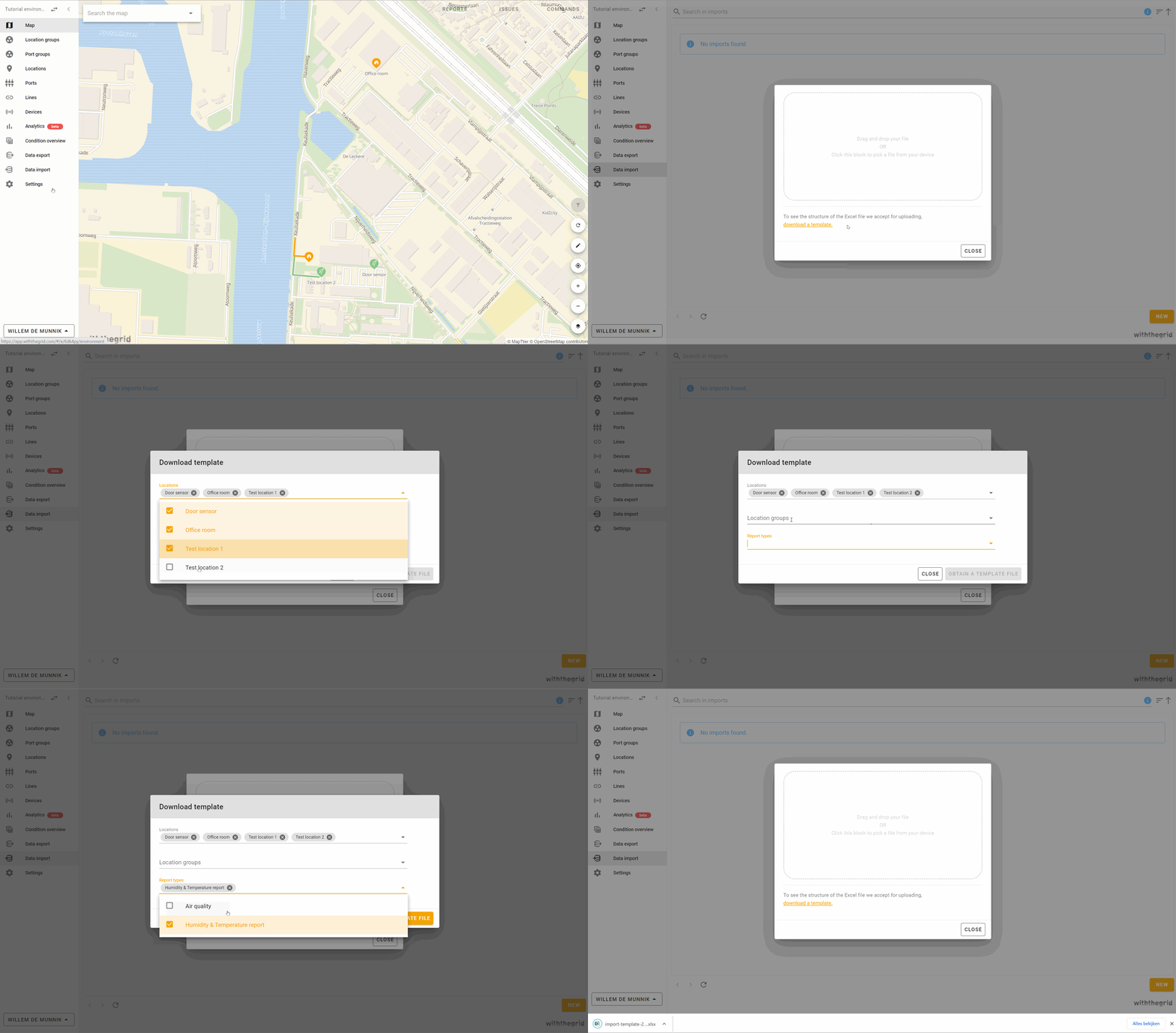
- Go to ‘Data Import’ (depending on your user rights this may or may not be visible, if not, ask the admin of your environment to grant you the rights)
- Click on ‘New’ and click on ‘Download a new template’
- Choose the locations or groups where the measurements should be imported
- Choose the report type you want to import (tip: keep it clear with one report type at a time)
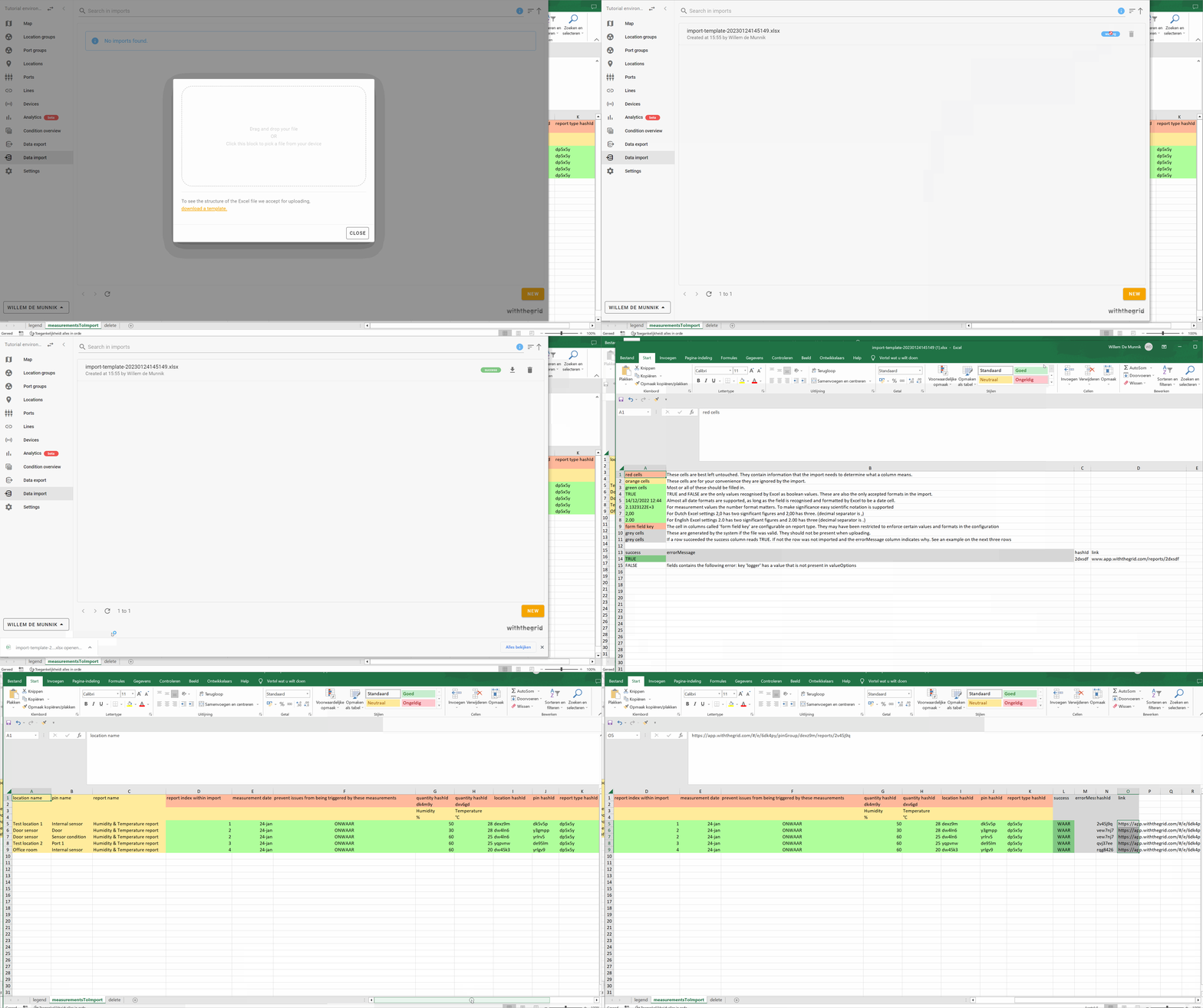
- Read the explanation tab of the template to understand what needs to be filled in
- When all information has been entered, save the Excel and import it by dragging to the import screen
- After processing, the overview shows whether the import was successful. If not successful, the result Excel shows which errors have been detected