

Form fields
Form fields are required when designing new report types but can also be used for any non-measurement related data fields. These can be added to: locations, lines, nodes (not used in the UI), location-ports, groups. Form fields can consist of any of the following elements:
- Text (1 line)
- Text (multiple lines)
- Select one from a list (select)
- Select one from a list (radio)
- Select one or more from a list (switch)
- Select one or more from a list (checkbox)
- File
- Files
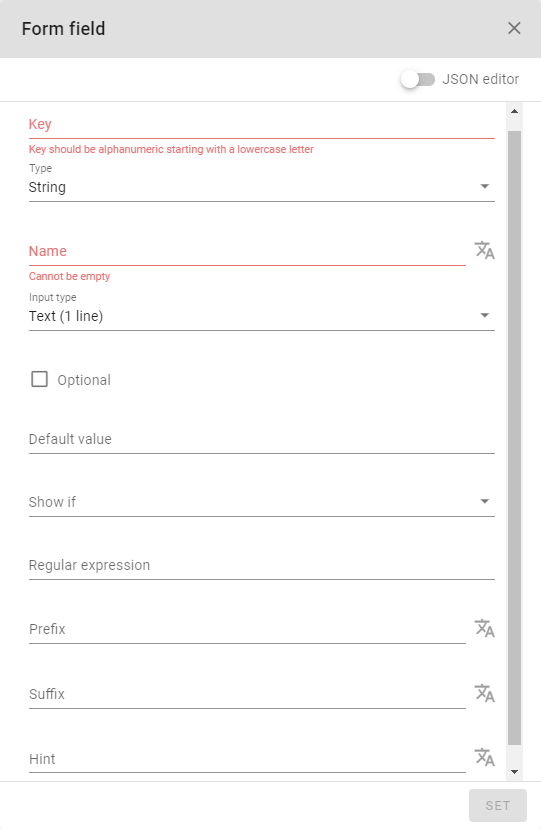
- The key is the unique name given to this form field.
- The name is the name that is shown in the application
Depending on the choice of form field type, additional options are available:
- A form field value can be set to optional
- Form field can be shown only when a certain condition is satisfied
- Regular expression can enforce a structure of string input
- Prefix is displayed on the left of the input box
- Suffix is displayed on the right of the input box
- Hint is the text displayed below the input box where you can enter text
How-to videos
The following video demonstrates how form fields are used to create new properties in the monitoring environment.
Watch the video on Youtube